
Best Smart Home Hub: Top Picks for Seamless Connectivity in 2026
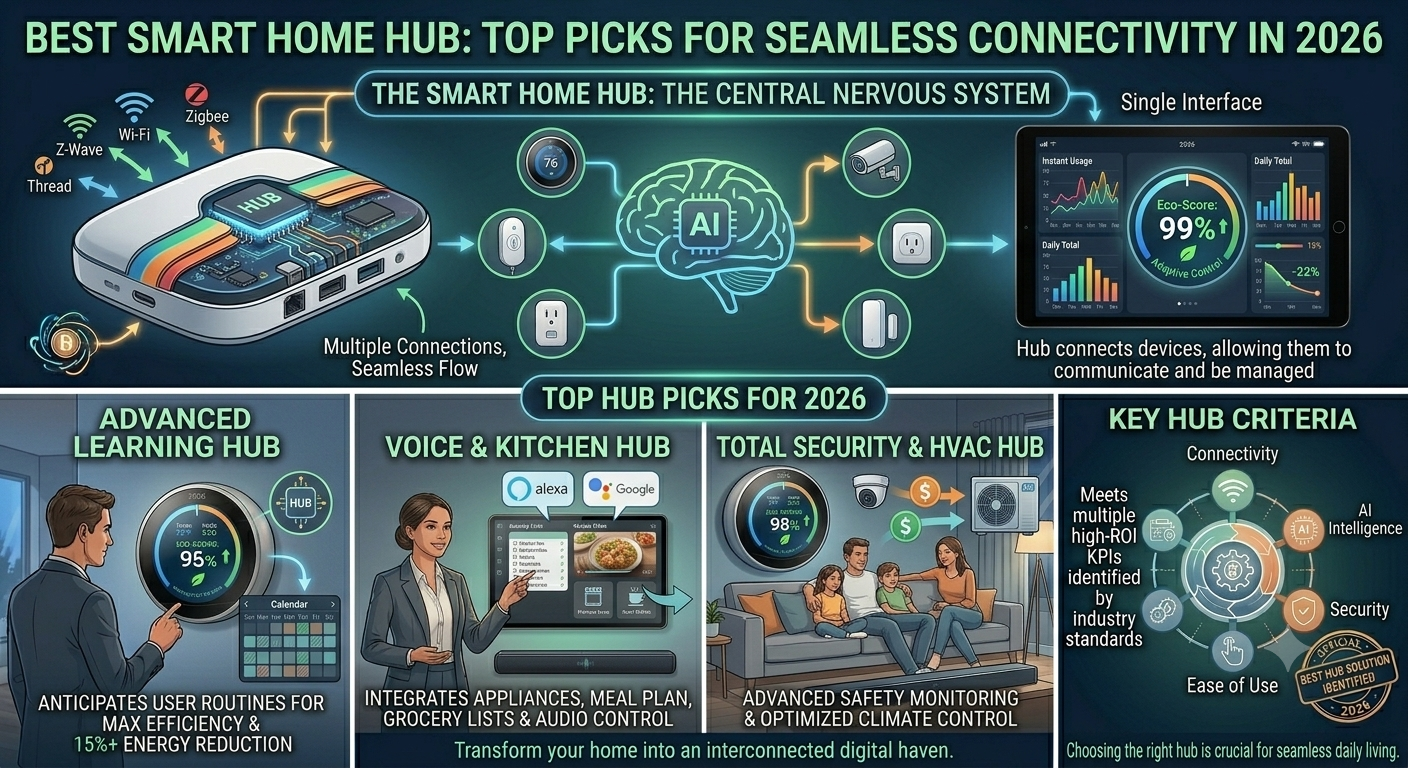
Smart homes are becoming increasingly ubiquitous, offering convenience and enhanced control over your home environment. The cornerstone of this technology is the smart home hub—a device that acts as the central nervous system of your smart home setup.
This hub connects various smart devices, from thermostats to lights, allowing them to communicate and be managed through a single interface. Due to its pivotal role, choosing the right smart home hub is crucial for seamless technology integration into daily life.
How to Choose the Best Smart Home Hub
Selecting the right hub requires considering several factors:
| Factor | What to Look For |
|---|---|
| Compatibility | Supports wide range of protocols and brands (Zigbee, Z-Wave, Wi-Fi, Matter) |
| User Interface | Simple, intuitive app that doesn’t overwhelm |
| Customization | Advanced automation and routines for your lifestyle |
| Ecosystem | Aligns with current devices (Google Home, Alexa, HomeKit) with room for expansion |
| Stability | Reliable connection and fast command execution |
| Support | Quality customer service from the manufacturer |
Some hubs work better within specific ecosystems, while others offer broader compatibility. Look for a hub that aligns with your current devices and leaves room for future smart home expansions.
I’ve researched and evaluated various smart home hubs to discern which models stand out in a crowded market. Here’s my concise list to simplify your selection process.
Top Smart Home Hubs
1. Aeotec Smart Home Hub (SmartThings)

I’ve found the Aeotec Smart Home Hub to be an invaluable addition for its broad compatibility and reliability.
| Pros | Cons |
|---|---|
| Simplifies control of various smart devices | Initial setup requires internet |
| Supports voice control with popular assistants | Not compatible with devices outside North America |
| Maintains automation routines during internet outages | Limited tech support for troubleshooting |
My Experience: Managing a smart home becomes much easier with a central control hub. The ability to streamline control of over 5,000 devices from multiple brands under one app or voice assistant is a game-changer. Instead of juggling various apps, this hub lets me do it all from a single interface.
Interoperability Excellence: This hub excels with cross-protocol support for Zigbee, Z-Wave, Wi-Fi, and Matter. The seamless interaction between my Alexa-powered devices and Z-Wave door locks was impressive. Automations function even during internet outages, offering peace of mind.
Drawbacks: Setup required a stable internet connection, and the North America region lock limits international users. I encountered occasional hiccups wishing for more robust customer support.
Verdict: Balancing day-to-day tasks has become smoother with the Aeotec Smart Home Hub at the heart of my system. From morning routines to nighttime security checks, it facilitates seamless connection and control.
2. Echo 4th Gen (Amazon)

I recently integrated the Echo 4th Gen into my home, and it’s become central to my daily routine for both entertainment and smart home management.
| Pros | Cons |
|---|---|
| Immersive sound experience filling the room | Requires compatible devices for full functionality |
| Reliable smart home hub managing devices effortlessly | Occasional hiccups recognizing voice commands when music is loud |
| Stellar Alexa voice recognition | Limited to Alexa-compatible services for certain integrations |
My Experience: Getting started was a breeze—setup felt intuitive. It serves not only as a speaker but as a command center. Transitioning to voice-controlled lights and locks felt like stepping into the future. Asking Alexa to manage tasks, from timers to math problems, is something I can hardly do without.
Sound Quality: The adaptive audio fills every corner with rich, detailed sound, whether I’m relaxing with classical music or energizing with latest hits.
Room for Improvement: At high volume levels, Alexa struggles to catch commands, requiring a raised voice. For those without smart home devices or Alexa-compatible services, you might not get full value.
Verdict: Despite minor issues, the Echo 4th Gen added convenience and enjoyment that made it indispensable. Coming home to lights turning on with a simple command confirmed I made the right choice.
3. Hubitat C-8 Pro
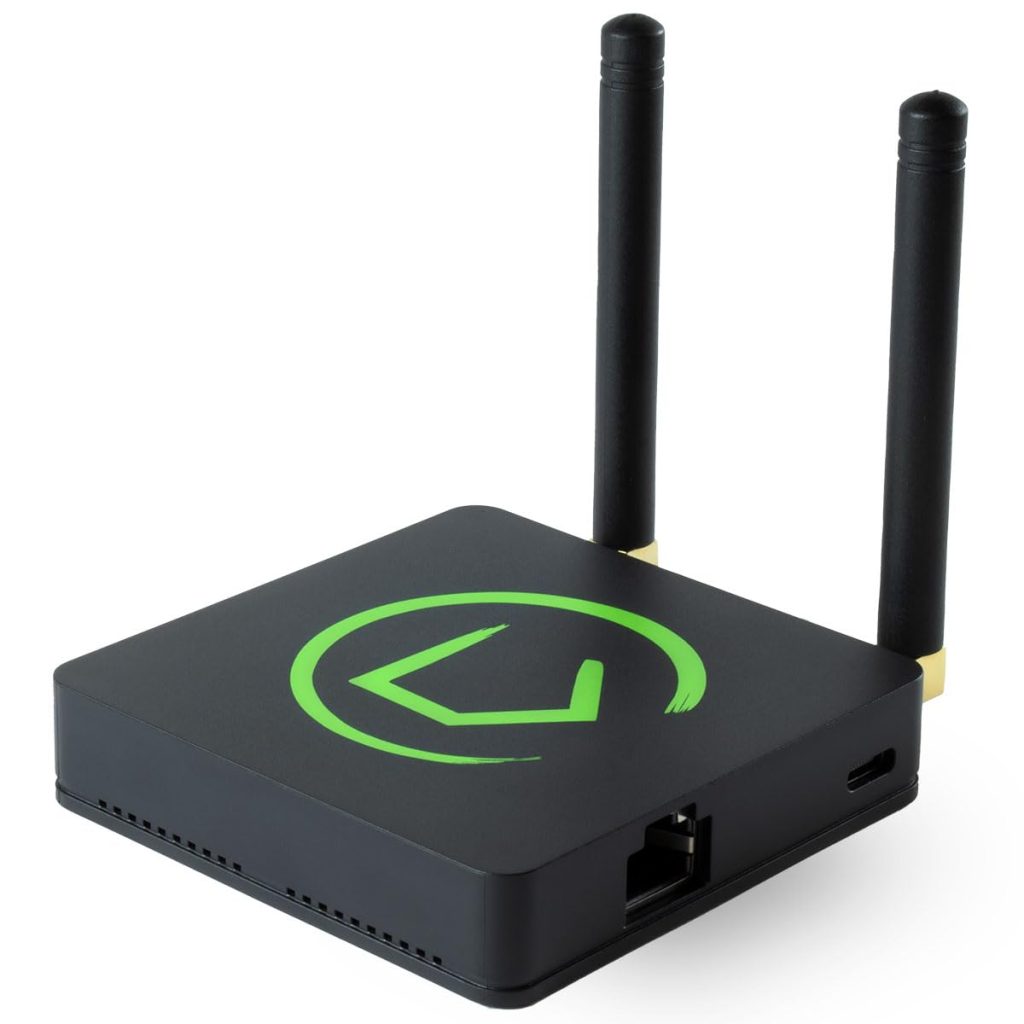
I recently set up the Hubitat C-8 Pro and believe it’s a strong contender for those valuing local processing and broad device compatibility.
| Pros | Cons |
|---|---|
| Local processing for speed and privacy | Steep learning curve for new users |
| Wide range of compatible devices and brands | Limited customer support |
| Matter, Zigbee, and Z-Wave protocol support | Compatibility issues with some older Z-Wave devices |
My Experience: The moment I integrated it, local processing became apparent. Devices responded quickly without lag that plagues cloud-dependent hubs. I noticed a distinct improvement in reliability of smart sensors and automations—game-changing for anyone experienced with delays or outages.
Compatibility: It connects effortlessly with over 1,000 devices from more than 100 brands. Whether working with smart locks, lighting, or HVAC, compatibility was rarely an issue. This hub serves as an excellent central controller for diverse, elaborate smart homes.
Matter Support: The Hubitat C-8 Pro is Matter compatible and bridges Apple HomeKit, Google Home, and Amazon Alexa ecosystems seamlessly.
Drawbacks: Setup had hurdles despite my smart home experience. New adopters may need to consult online resources. Customer support isn’t as extensive as other brands. Occasional compatibility issues with older Z-Wave devices weren’t deal-breakers but worth noting.
Verdict: The Hubitat C-8 Pro stands out for local processing, wide device compatibility, and protocol support. Despite challenging setup and lesser support, it’s a solid choice for smart home enthusiasts seeking a robust, locally-controlled hub.
4. Ezlo Plus Smart Home Hub
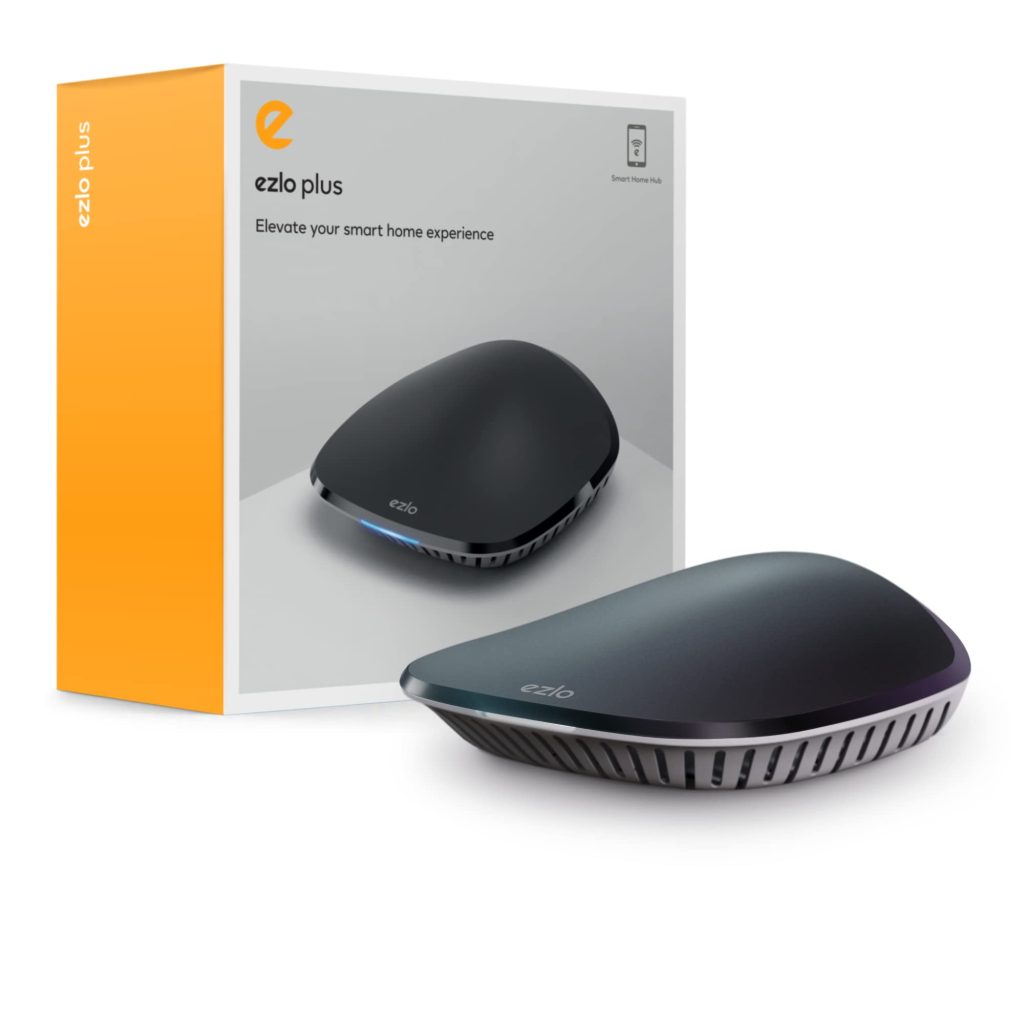
I believe the Ezlo Plus Smart Home Hub is a solid choice for those venturing into creating a seamless smart home experience, given its broad compatibility and ease of setup.
| Pros | Cons |
|---|---|
| Integration with Z-Wave, Zigbee, and Wi-Fi | Limited functionality and glitches reported by some users |
| Voice control with Alexa and Google Assistant | Companion app could offer better UX |
| Straightforward setup and elegant design | Customer support requires patience |
My Experience: Integration with existing devices was impressively smooth. Setup was straightforward—a relief for those not overly tech-savvy. I could easily mix and match devices from different brands and control them all from one centralized app.
Voice Control: Alexa simplified daily routines. Whether dimming lights or checking smart lock status, convenience was undeniable. The sleek black exterior blended subtly into my home.
Challenges: Not all devices connected flawlessly on first attempt. The app interface seemed less intuitive than anticipated. Customer support required patience to resolve integration issues. These nuisances didn’t overshadow overall functionality.
Verdict: The Ezlo Plus caters commendably to those seeking a unified smart home system with wide compatibility and voice-assisted control. Despite imperfections, I appreciated its efforts to streamline my smart home experience.
5. Aqara Smart Hub M3
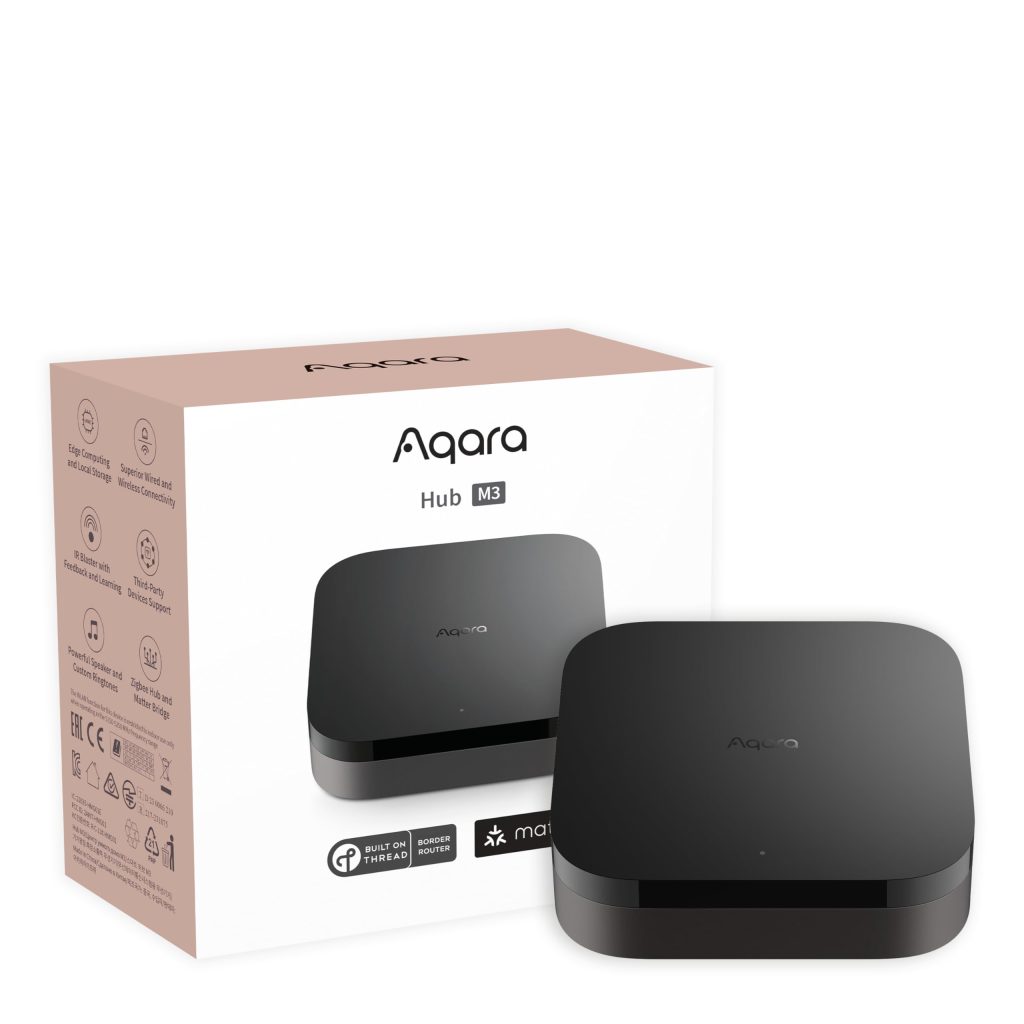
I believe the Aqara Smart Hub M3 is a solid choice for those seeking a future-proof smart home hub with multi-protocol support and emphasis on privacy.
| Pros | Cons |
|---|---|
| Seamless integration with various devices and protocols | Limited compatibility with non-Aqara devices |
| Enhanced security with WPA3 and encrypted storage | Some initial bugs (updates improving performance) |
| Dual-band Wi-Fi and PoE connectivity options | Lacks Z-Wave support (dealbreaker for some) |
My Experience: Setup was straightforward with Magic Pair technology—almost effortless to add to my Aqara Home app. Controlling up to 127 devices untangled my clustered smart home setup. The interface felt intuitive, and local control made daily automations nearly instantaneous.
IR Blaster: This caught my eye—injected smart life into my old air conditioning unit, letting me manage it from my smartphone. Transforming a ‘dumb’ appliance into a smart one is game-changing for retrofitting older tech.
Limitations: Absence of Z-Wave support was noticeable in my Z-Wave-dominated ecosystem. A couple of sensors remained isolated. Early hiccups with Aqara devices not showing up post-migration were resolved with latest firmware updates.
Verdict: The Smart Hub M3 showed me simplicity and security in a world overcrowded with complex solutions. It focuses on reliability and user privacy—a haven for those wary of microphones or cameras in every device. For those heavily invested in Aqara or looking to future-proof with Matter, this hub is worth consideration.
6. SmartThings Hub (Samsung)

I’d recommend the SmartThings Hub for anyone looking to centralize their smart home devices with a simple, user-friendly interface.
| Pros | Cons |
|---|---|
| Wide range of device compatibility | Inconsistent performance with certain devices |
| Customizable automation routines | Limited functionality outside the U.S. |
| Straightforward wireless setup | Occasional app glitches |
My Experience: Managing multiple smart devices became significantly more efficient. Its strength lies in bringing various brand ecosystems under one roof. I was particularly impressed with creating “Good Morning” and “Good Night” routines—this personalization saves time and adds convenience.
Voice Commands: Compatible with both Google Assistant and Alexa, making it versatile regardless of preferred voice assistant. Adjusting settings on the fly without reaching for a switch or smartphone was incredibly handy.
Drawbacks: Sometimes struggled with consistent connectivity, especially with lesser-known brands. Limited to U.S. use—might be a dealbreaker for international users. Occasional app hiccups with unresponsive devices required troubleshooting.
Verdict: A great contender offering wide compatibility and customizable routines despite occasional connectivity issues.
Buying Guide: Key Features for Seamless Integration
I consider these key features when choosing the best smart home hub:
1. Compatibility
I ensure the hub supports various communication protocols:
- Zigbee
- Z-Wave
- Bluetooth
- Wi-Fi
- Matter (increasingly important)
2. Interface
The ease of use is crucial. I look for an app with:
| Feature | Benefit |
|---|---|
| User-friendly design | Intuitive navigation |
| Straightforward device management | Quick control of all devices |
| Remote access capabilities | Control from anywhere |
3. Automation
The ability to create routines is a deciding factor. I favor hubs allowing complex scenarios triggered by various events:
- Custom routines
- Event-based triggers
- Timed automations
4. Expandability
Considering future expansion is wise. I opt for hubs accommodating more devices without performance hiccups:
- Scalability
- Device limit
- Ongoing support & updates
5. Security
With cybersecurity being a top priority, I select hubs with robust security:
- Data encryption
- Secure login methods
- Regular firmware updates
Analyzing these features ensures my smart home hub meets current needs and adapts to future expansions.
Frequently Asked Questions
Smart home hubs are central to creating a cohesive, responsive smart home ecosystem.
1. Which features should I consider when choosing a smart home hub?
I consider compatibility, connectivity options (Wi-Fi, Zigbee, Z-Wave), and support for automation and voice commands. Ease of use through a user-friendly interface is also crucial.
2. How does a smart home hub with a screen enhance user experience?
A hub with a screen offers visual feedback and interactive control, simplifying device management. It often provides more intuitive setup and the convenience of video calls.
3. What are the benefits of integrating an Alexa-compatible smart home hub?
An Alexa-compatible hub enables voice control of smart devices, access to skills, and seamless interaction with Amazon’s ecosystem.
4. Are there smart home hubs available that work seamlessly with Apple devices?
Yes. Hubs supporting Apple HomeKit enable me to control my smart home through Siri and the Home app on iOS devices.
5. What are the primary differences between a smart home gateway and a hub?
A gateway connects networks, while a hub centralizes device communication and control. The hub usually offers more advanced features like automation and voice control.
Final Recommendation
| Best For | Hub |
|---|---|
| Broadest Compatibility | Aeotec Smart Home Hub (SmartThings) |
| Best Sound + Voice Control | Echo 4th Gen |
| Local Processing & Privacy | Hubitat C-8 Pro |
| Easy Setup | Ezlo Plus Smart Home Hub |
| Aqara Ecosystem + Privacy | Aqara Smart Hub M3 |
| User-Friendly Interface | SmartThings Hub |
The right smart home hub depends on your specific needs, existing devices, and budget. Whether you prioritize local processing, broad compatibility, or voice control, there’s a hub that will create the seamless, efficient smart home ecosystem you’re looking for.